Product Updates
Introducing the new Concept Detection
Upload the deck you showed participants, and CoLoop finds each slide in your recordings and tags its concepts, including when participants describe or refer back to one.
Jack Bowen, Co-Founder & CEO · · 5 minutes read
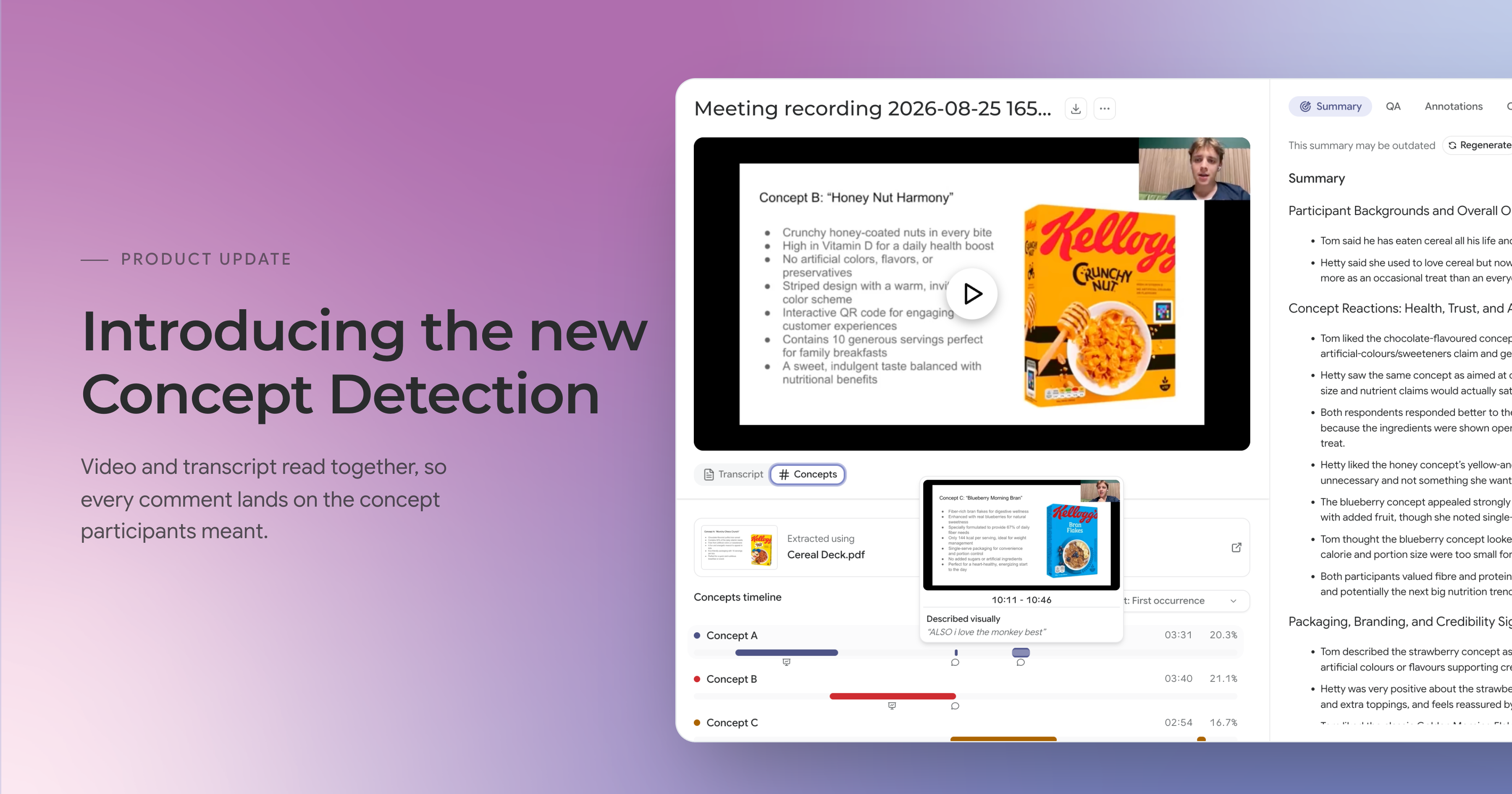
Stimulus testing is one of the most common jobs in qualitative research, and one of the hardest to hand over to AI. The stakes are high too - a concept test often decides which idea goes on a billboard or into a national launch, and that call is expensive to get wrong.
The trouble starts when you drop those sessions into a general AI tool. Participants react before and after they’ve seen each concept, and naturally compare several in one conversation. “I prefer this one to the last” tells you nothing in a transcript unless you know which slide was on the screen, and a tool that only reads the transcript doesn’t. So it guesses, and in a concept test, those guesses are where hallucinations creep in.
Today we’re releasing the new Concept Detection, and CoLoop can now see as well as hear. It’s multimodal: CoLoop matches your stimulus deck to the video and listens to what was said alongside it, so it knows which concept was on the screen and which one a participant is referring to, even if they never say its name. Your analysis starts from an accurate record of which comment belongs to which concept, using recordings you already have.
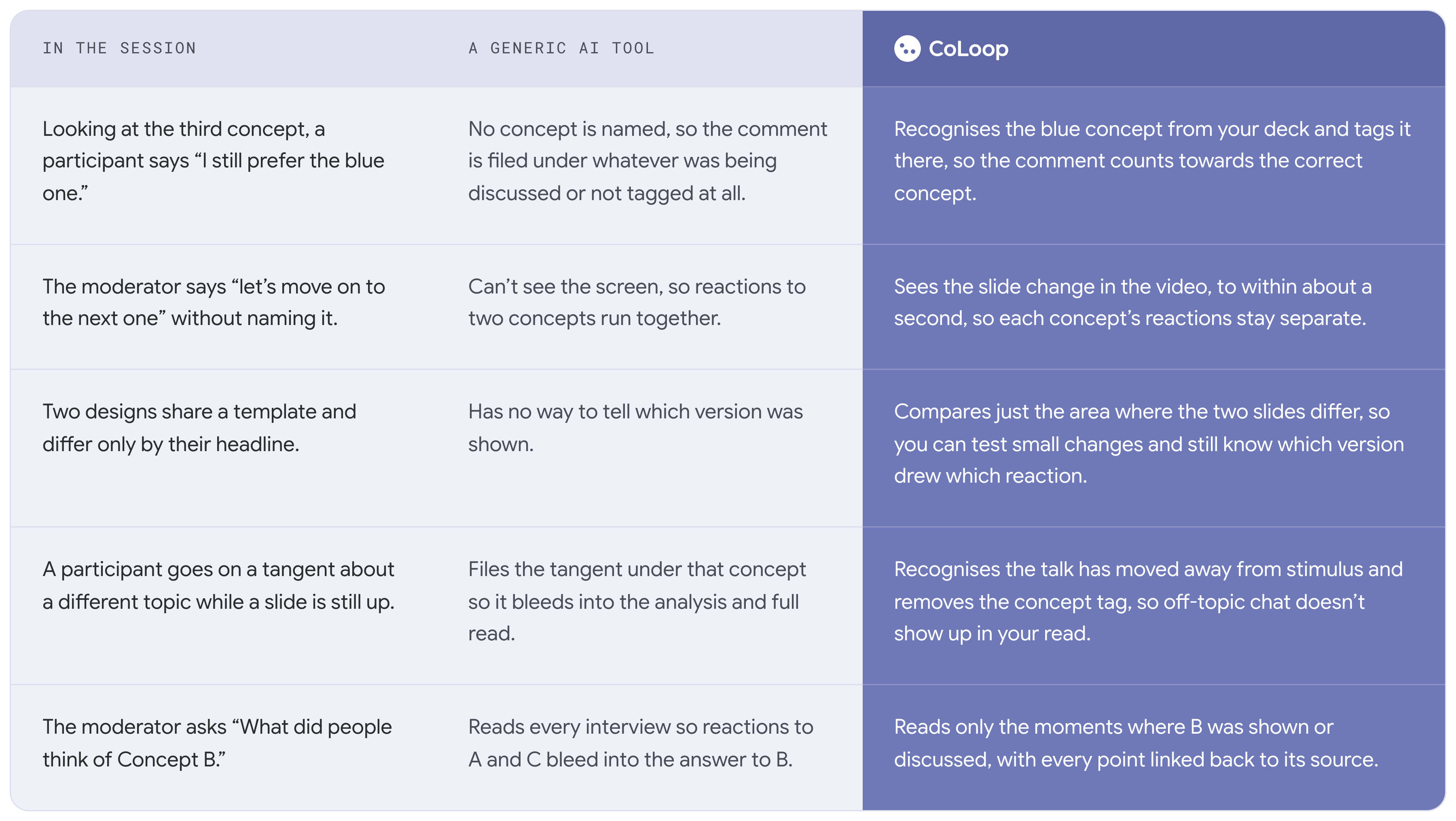
Where general AI tools get concept testing wrong
Most AI tools treat a concept test as a folder of transcripts. They read what was said in linear order and nothing else, so anything that’s dependent on what was on the screen, or on what a participant meant rather than what they named, slips through the net. It’s these differences that become the most obvious during a real testing session.
What this means for your research
Back high-stakes decisions with confidence
Concept tests ultimately end in a go or no-go decision. Because every comment sits on the concept it was about, your recommendation rests on what participants said, not on what an AI assumed they meant.
Compare multiple concepts accurately
Set your participants as rows and the questions your guide is built around as columns, from comprehension and appeal to credibility and intent. Because grid responses are saved and reused, every concept is read against the same questions in the same way, so your grid holds the scores and the reasons behind them side by side.
Compare concepts across markets
Running your study in more than one language? Upload a deck for each language you presented in, and use the same concept labels on every version. Your results combine under one set of concepts, so you can see how each concept performed across markets in a single grid.
The tagging your analysis rests on is tagging you can see and stand behind, keeping researchers at the wheel.
How Concept Detection works
Detection runs in two layers: one watches the interview recording and the other reads the transcript.
- Your deck is read first. When you upload a deck, CoLoop reads each slide and matches your project concepts to the slides they appear on.
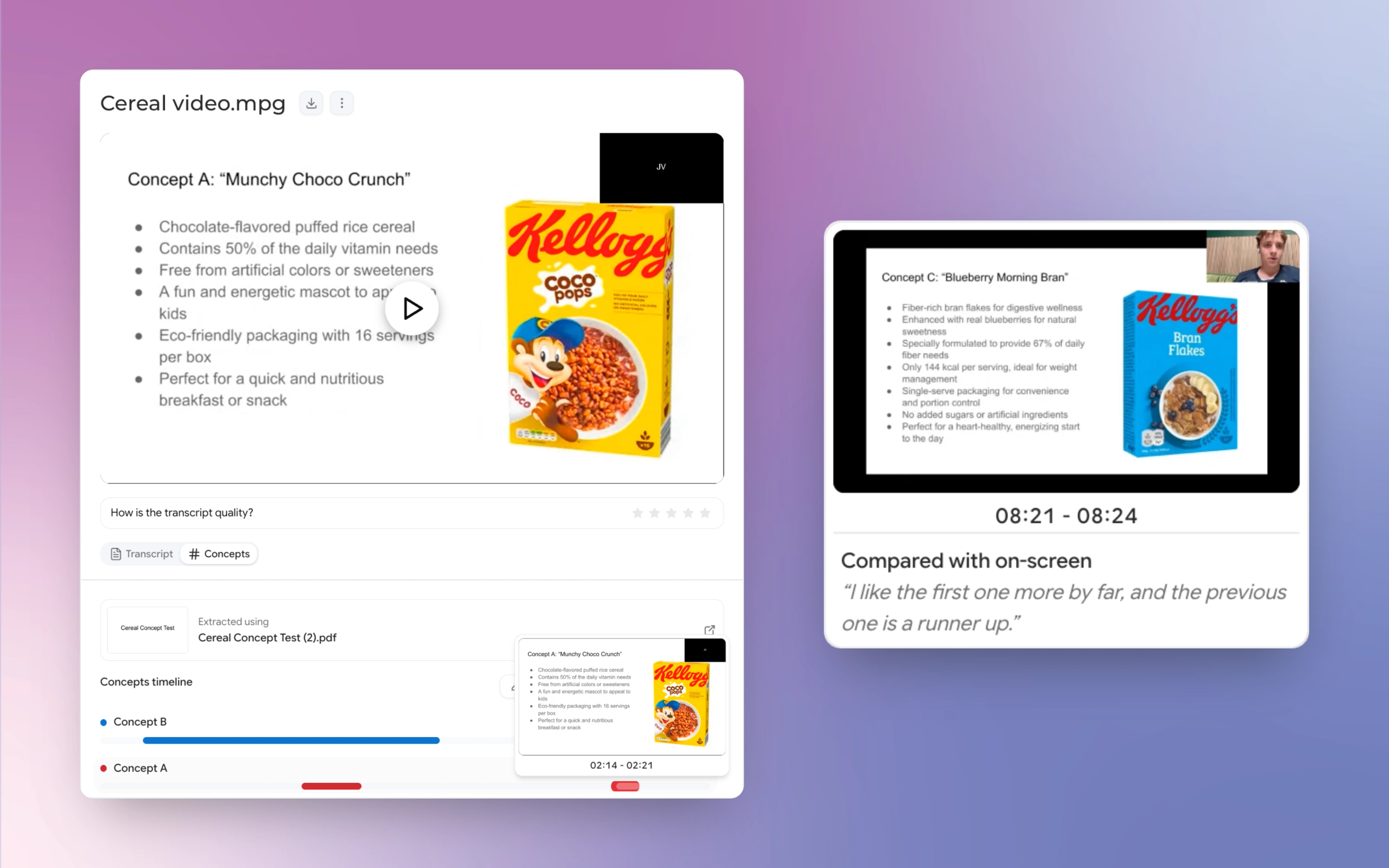
- Your recording is matched against the deck. CoLoop scans each video for the moments the picture changes, checks those points against your slides, and pins each change to within about a second. While a slide stays on the screen, there's nothing new to check. Each stretch of video that matches a slide becomes a section, and the transcript underneath is tagged with that slide's concepts.
- The conversation is read alongside. CoLoop reads what participants say against the content of every slide, so it picks up a concept whether it’s named, described or referred back to. It also takes a concept off when the discussion moves somewhere unrelated.
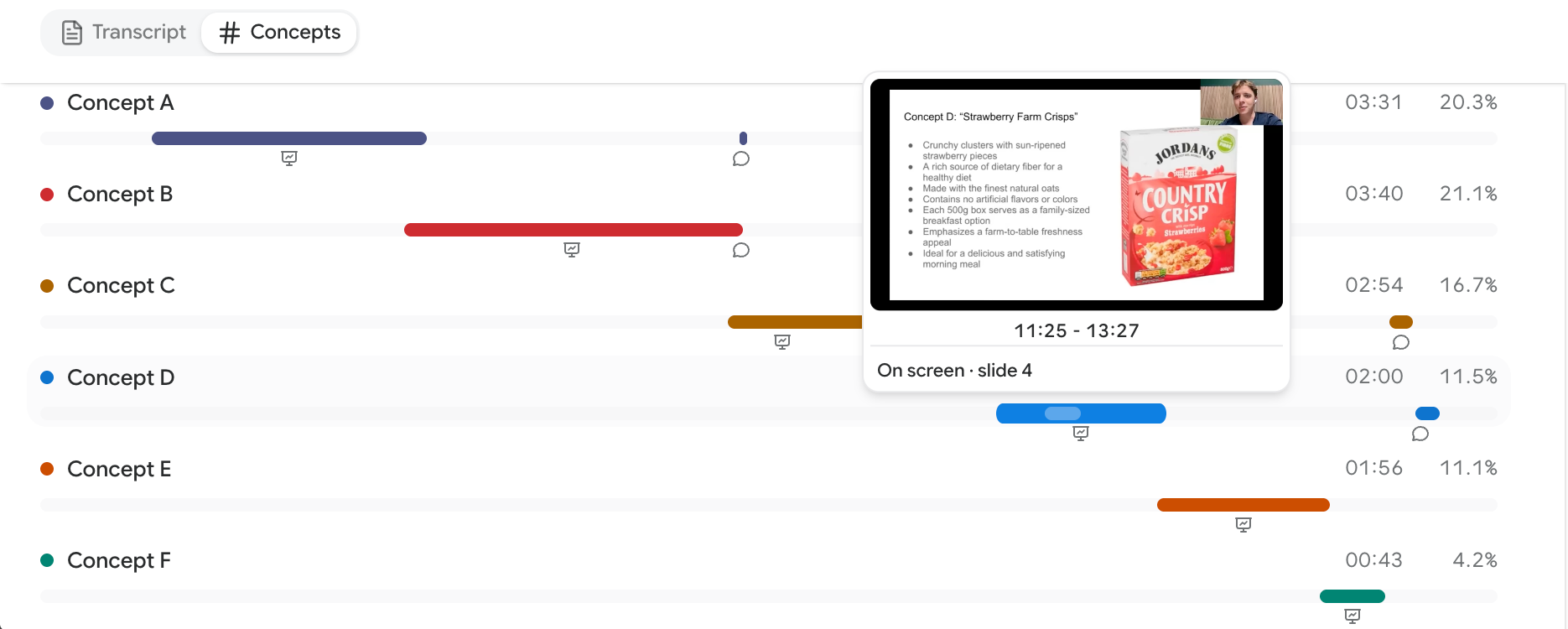
- Both layers meet on the timeline. Each transcript gets a Concepts timeline showing when every concept was on the screen or being discussed. Hover over a bar to preview the matched slide, or click a row to jump straight to that moment in the transcript.
Try it now
Concept Detection is live for every CoLoop user. Add concepts when you create a project, or from Add concepts in the sidebar of a project you've already started. Then upload your deck, and detection runs as your videos are transcribed. For a full walkthrough, head to our Stimulus Deck Concept Testing guide, and see Analysing Concepts for filtering grids and chat by concept.
Already using concept testing in CoLoop? There’s nothing to add to your slides before fieldwork now. Upload your deck as you showed it, including to projects you’ve already transcribed, and run re-detect concepts to tag them.
What’s coming next
Once you know how each concept landed, the next job is helping stakeholders see it for themselves. Our next big launch is an update to Clips & Reels, so you can turn interview moments into shareable video without jumping between tools. It adds blurring and voice redaction, so participant identities stay protected in anything you share. You'll also be able to choose which participant details appear on the screen, and add your own slides between clips. We'll share the full story in its own post soon.
See it on your own concept test
If your team runs concept tests and still matches comments to concepts by hand, we’ll show you what CoLoop does with a study like yours. Join 400+ teams using CoLoop to deliver deeper insights in half the time.