New feature
Client access with branded chat pages
Share a password-protected, chat-only view of a project with clients, branded with your own header image, project name and suggested prompts.
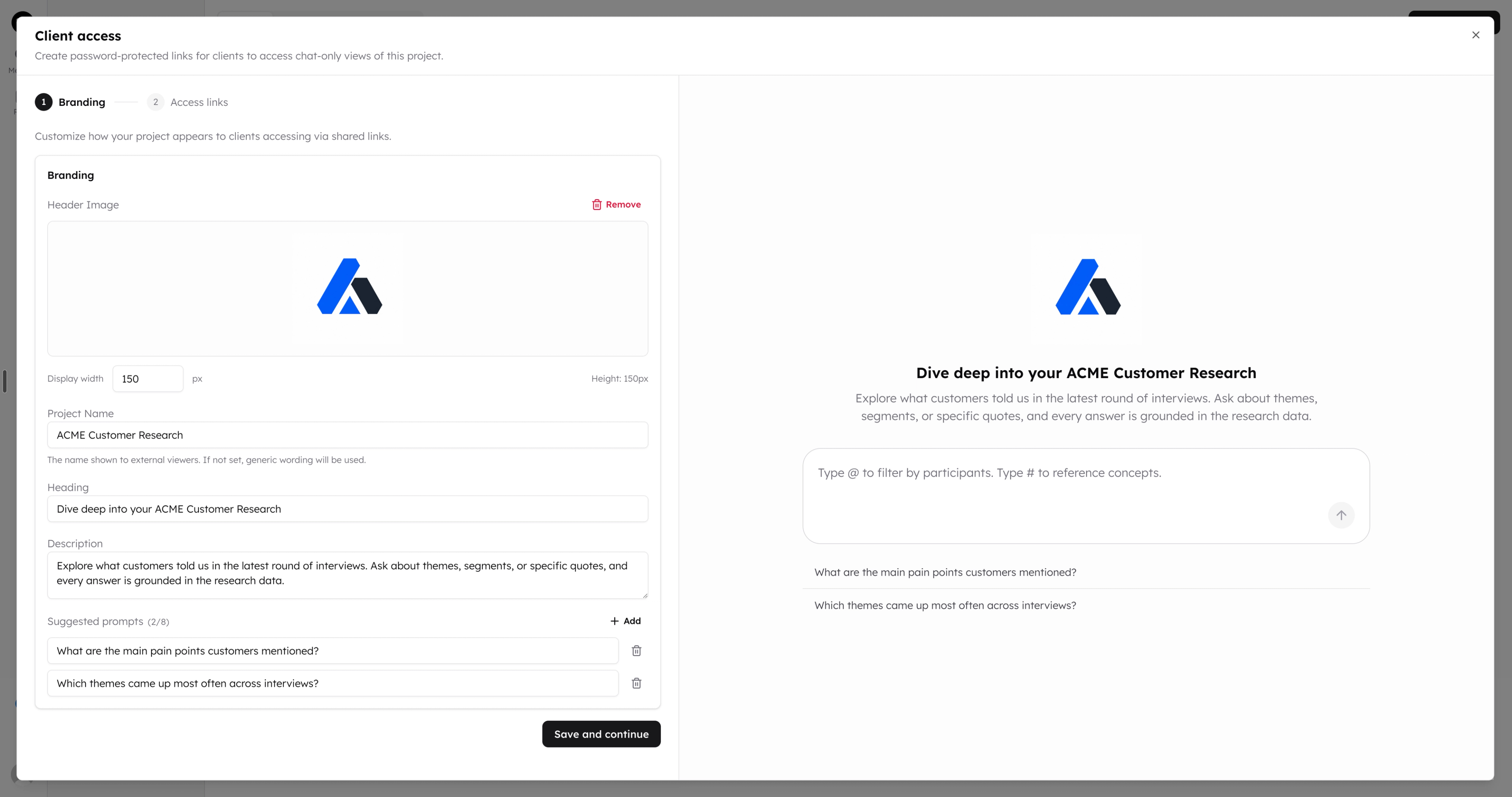
Clients open a link, enter a password and chat with your research data. They need no CoLoop account and see nothing else in your workspace, so stakeholders can explore the findings themselves once you have delivered them.
Setup starts with branding. A live preview updates as you type, and every field is optional:
- Header image: PNG, JPEG or WebP up to 5 MB, with an adjustable display width.
- Project name: what clients see instead of your internal project name.
- Heading and description: the headline and a short note on what clients can ask about.
- Suggested prompts: up to eight clickable starting points.
Skip branding to give clients a clean default page, and come back to it any time. You need permission to manage project members to set up client access.