Participant Anonymisation
Anonymise every participant, from the first transcript to the reel you export.
Video is the most effective way to bring a participant’s point to a stakeholder or client, but privacy rules and consent terms have kept it inside the project.
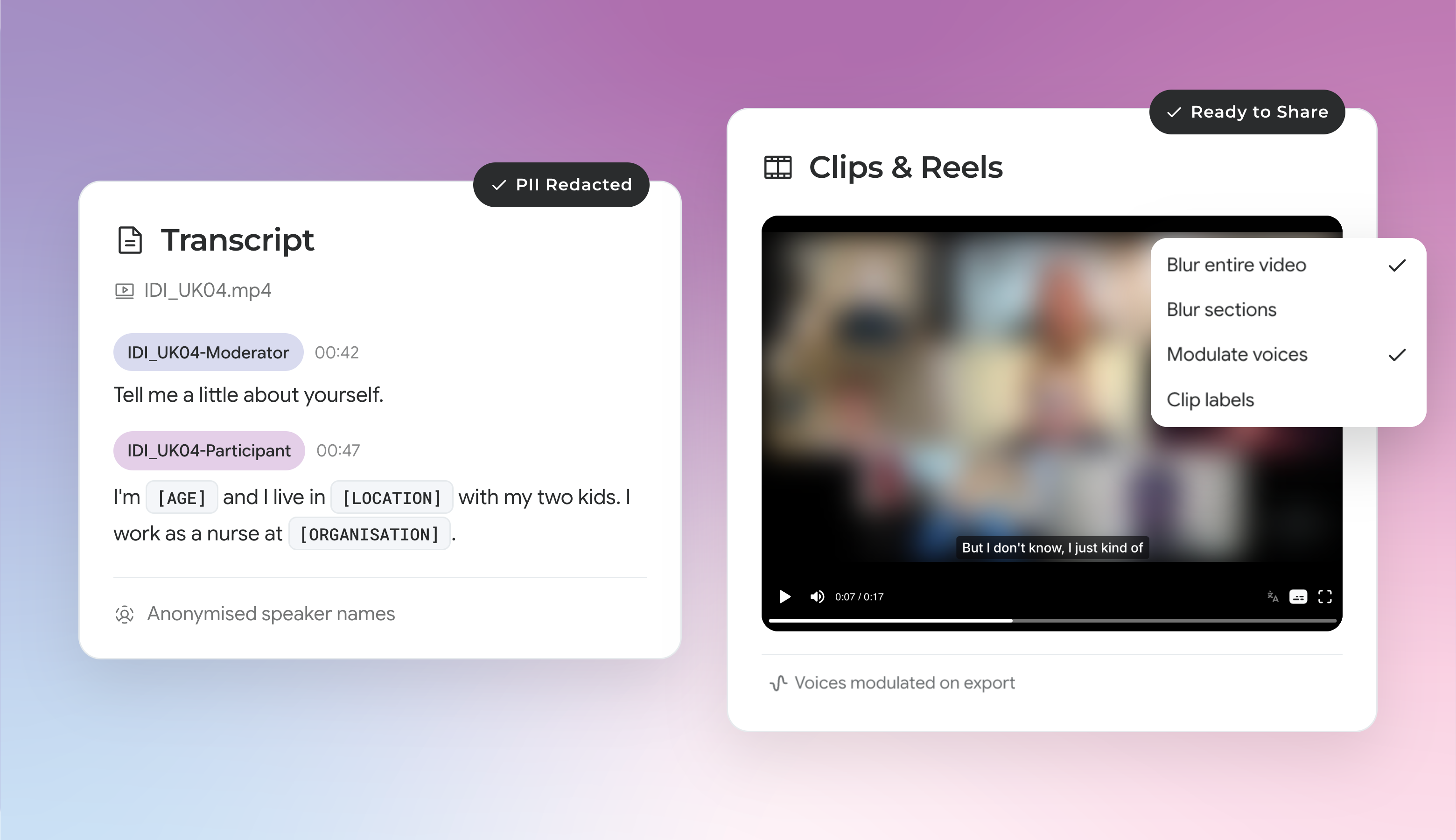
Now CoLoop can anonymise participants at every stage of your research: from speaker names and PII in your transcripts to the faces and voices in your reels, so your evidence can travel beyond your project without exposing anyone’s data.
For transcripts, tick ‘Use anonymized speaker names’ and select ‘PII redaction’ after uploading your file. For video, click the three dots and choose ‘Blur video’ when in the file, or open ‘Effects’ in the Clips & Reels editor to blur or modulate voices before export.
That means:
- Ready to share from the start: Speakers get labelled with a code from your file name, so names never appear in your labels, analysis, or exports.
- Clean transcripts, no manual redaction: Choose the personal details to remove and CoLoop replaces redacted terms with placeholders, like [AGE], before you start the analysis.
- Video evidence your stakeholders can see: Blur faces across a whole video or only the areas you choose. Clips and reels rebuild from the blurred version, so every clip you share is protected.
- Voice modulation that keeps the emotion: Modulate voices on export to disguise each participant but keep their tone, so stakeholders hear the emotion while their identity stays protected.