New feature
Adverse Events
Detect adverse events in your transcripts and export them ready to report.
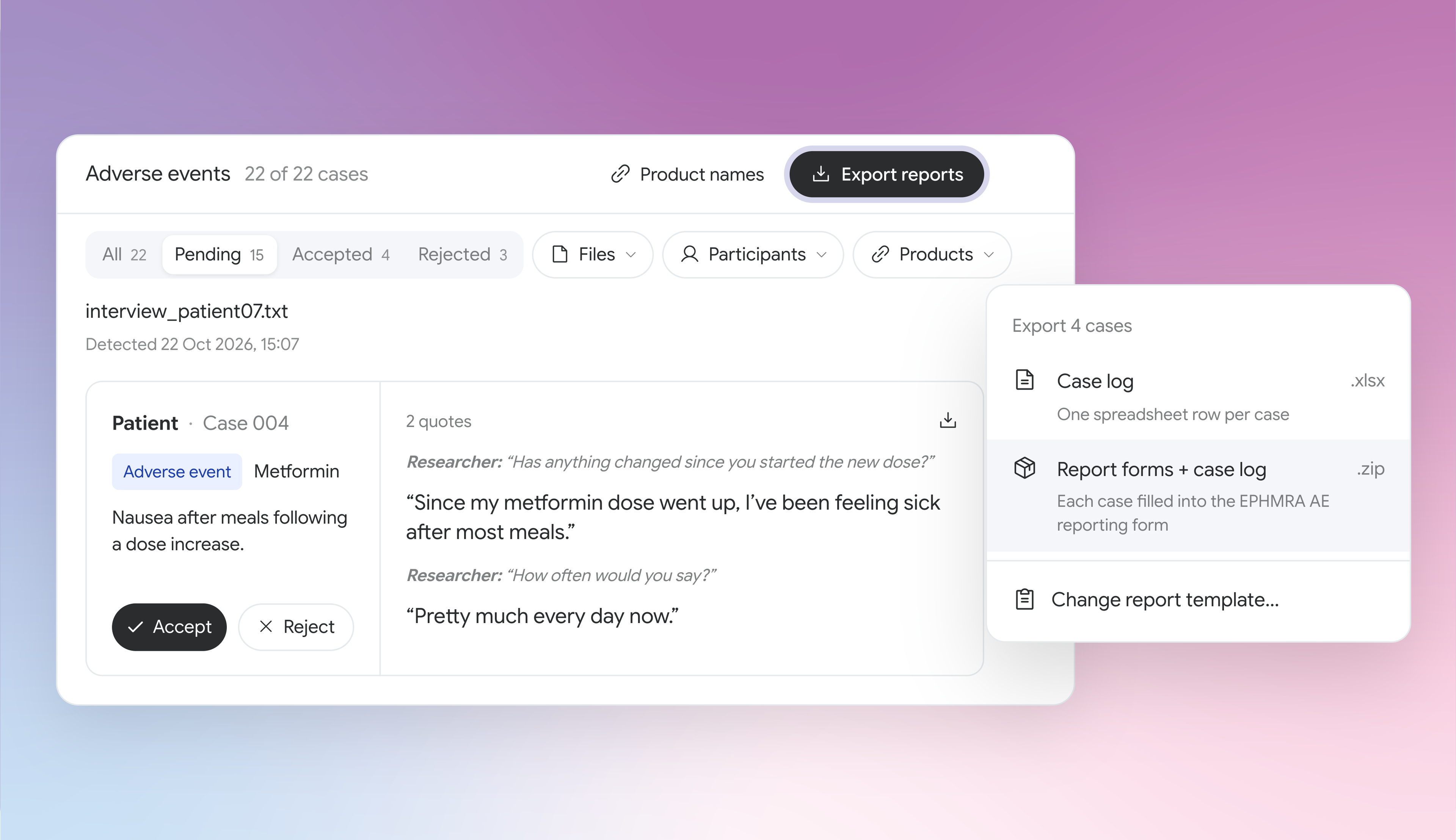
CoLoop can now detect adverse events, product complaints and special reporting situations in your transcripts whenever your project needs it. Each case is raised with the participant’s own words, ready for your team to review and export straight into your report forms.
To get started, open your project and click ‘Adverse events’ in the sidebar. Click ‘Detect adverse events’ to scan your transcripts, or add your study’s products and detection runs automatically.
That means:
- Every transcript checked, not just a sample: Run detection across every transcript in your project, so your second check no longer depends on a manual re-read or spot check.
- Focused on your client’s products: Add your study’s products for more accurate detection, then filter every case by product before you export.
- Straight onto the BHBIA, EPHMRA or your own form: Export your cases onto your region’s standard form or your client’s own, rather than writing them up by hand.